AI Tool: Copilot
Infographic

I made this infographic with Canva.
Artifact & Description
Artifact
I chose to use Copilot to create a practice test for my roommate. She’s a nursing major and is currently taking a mental health class, so I thought this project could help her out. I logged onto Copilot and signed up with my email. (In previous attempts, the program would prevent me from continuing with prompts until I logged in with my Google account).
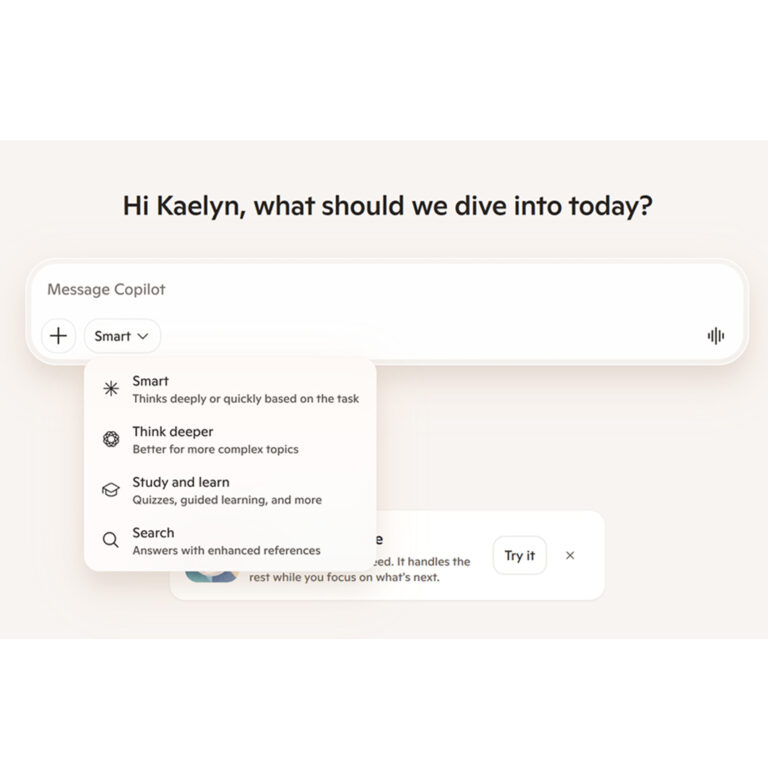
There are several different chat bot options with unique functions. Since I wanted to create a practice test, I chose the “Study and learn” option.
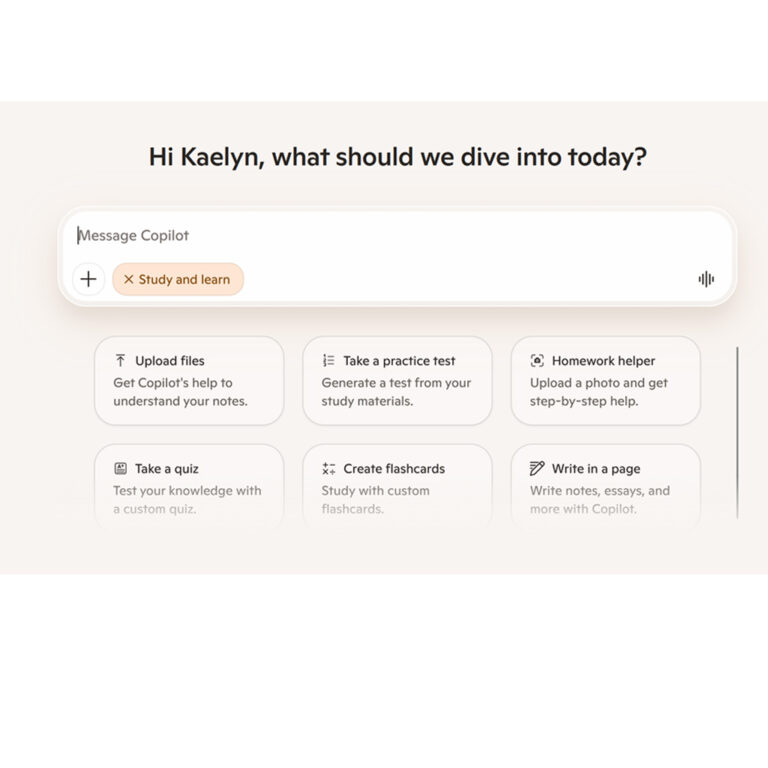
When I clicked the “Study and learn” option, Copilot gave me several prompt suggestions. I chose “Take a practice test.”

The chat bot generated a prompt for me to use, which resulted in a practice test template with customizable options.

My roommate said she only wanted multiple choice and mulit-select questions. After some trial and error, I realized that clicking the question type buttons deselected them. I clicked the True/False option to deselect it, and I also uploaded her PowerPoint for reference material. Finally, I hit the “Create Test” button.

It generated a practice test based on my inputs. I did a trial run to see how the test worked, and the following screenshots show how it looked.


After I clicked through the test, I chose the “Review Answers” button.
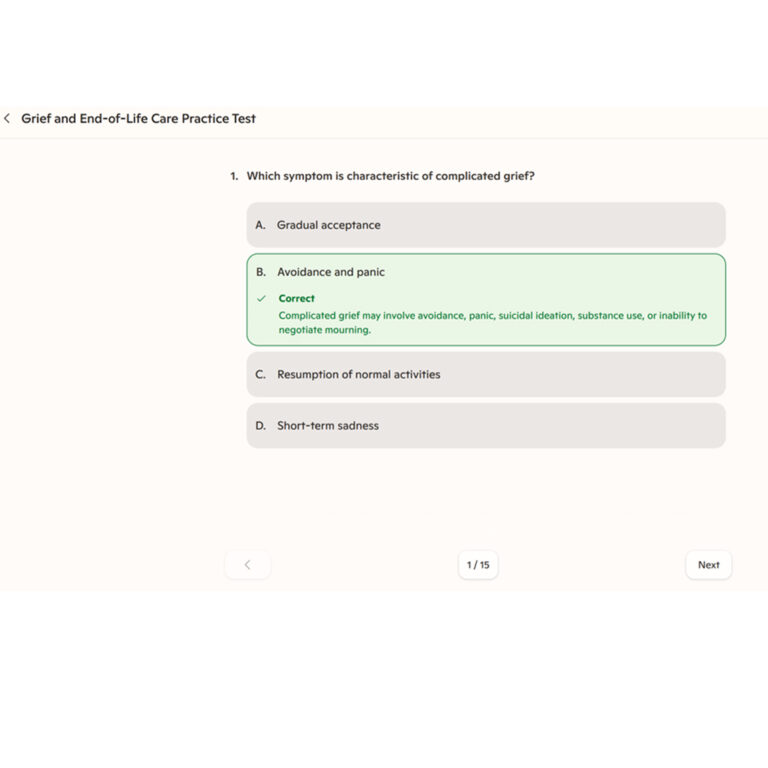
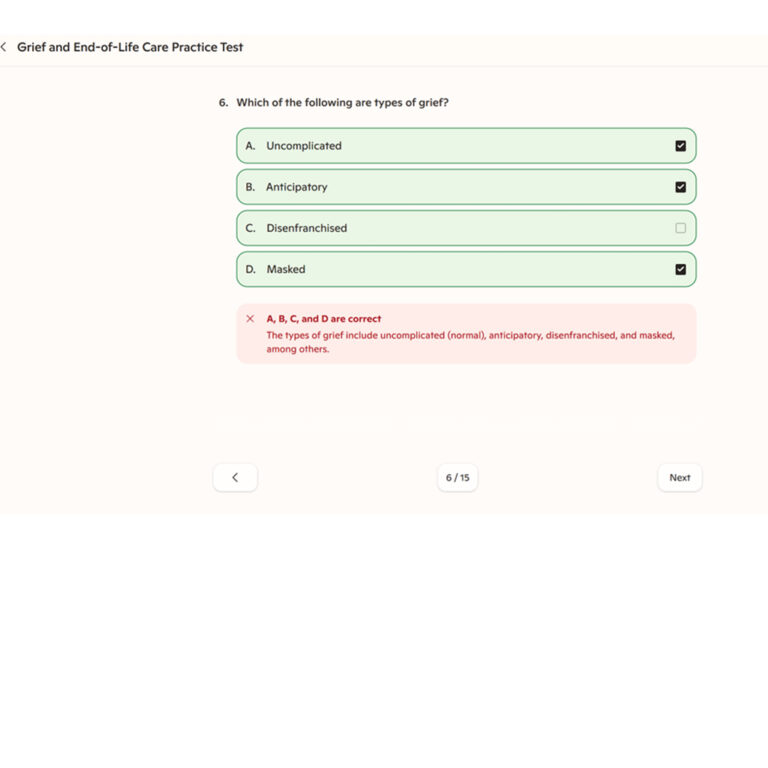
After I finished reviewing aspects of the exam, I decided to see where it was stored. I was able to find it stored under my library tab, and I found out that I could share the test with my roommate through a link.
Description
For this project, I decided to use Copilot to in generate a practice test for my roommate’s mental health class. I chose the appropriate chat bot and selected the prompt I wanted to use. It provided me with practice test template that I could customize. I deselected the questions I did not want to include, I chose the number of questions for the test, and I uploaded my roommate’s PowerPoint to the drop box. Copilot gave me the desired result, which could help my roommate test her knowledge and understand what material to study further. I could share the result through a link, and I could access the test through the library tab.
Here is the citation for Copilot:
“Start a practice test and let me configure it” prompt. Copilot, Microsoft, 12 Apr. 2026. https://copilot.microsoft.com/chats/iYC7spjRGZ1juqH8UXknn?type=page.
Reflection/Ethical Analysis
By using Copilot, I was successfully able to generate a practice test to help my roommate study. I struggled at first, because I wasn’t sure how to use the program. Copilot also seems more complicated than other AI platforms I have explored so far due to all of its potential functions. Overall, I believe it can be very useful for studying purposes.
Let’s examine Copilot within the framework of the Wesleyan Quadrilateral (scripture, tradition, reason, and experience) to determine how we can use it ethically.
Scripture and Tradition: Scripture states that we should be wise stewards of the gifts God has given us, and church tradition teaches this as well. (See Luke 16:10). Since technology could be seen as a gift from God, it’s important to use it with sound judgment and integrity. It’s also possible to use Copilot in unethical manners, such as using it to generate a class paper, or using it to quickly memorize answers instead of using it to truly understand course content. It’s important to use the gift of AI to develop ourselves and be the responsible stewards God has called us to be.
Reason: It’s important to exercise your own critical judgment and reason when using the generative features of Copilot in order to prevent mistakes. Using the process of human first and human last also keeps your God-given creativity involved with each project.
Experience: My own experience with Copilot showed me that it has potential to make studying and other menial work tasks flow more efficiently. I just have to be careful that I stay involved with each step of the process so that my creativity is evident, the results are accurate, and the outputs are tailored to my specific needs.
AI Usage
I used Google’s AI Overview to help me find Bible verses pertaining to the scripture and tradition sections. I looked up the actual verses to make sure they were accurate. Here is my citation:
“Bible verses about using your resources” prompt. Gemini, Open AI, 21 Apr. 2026.